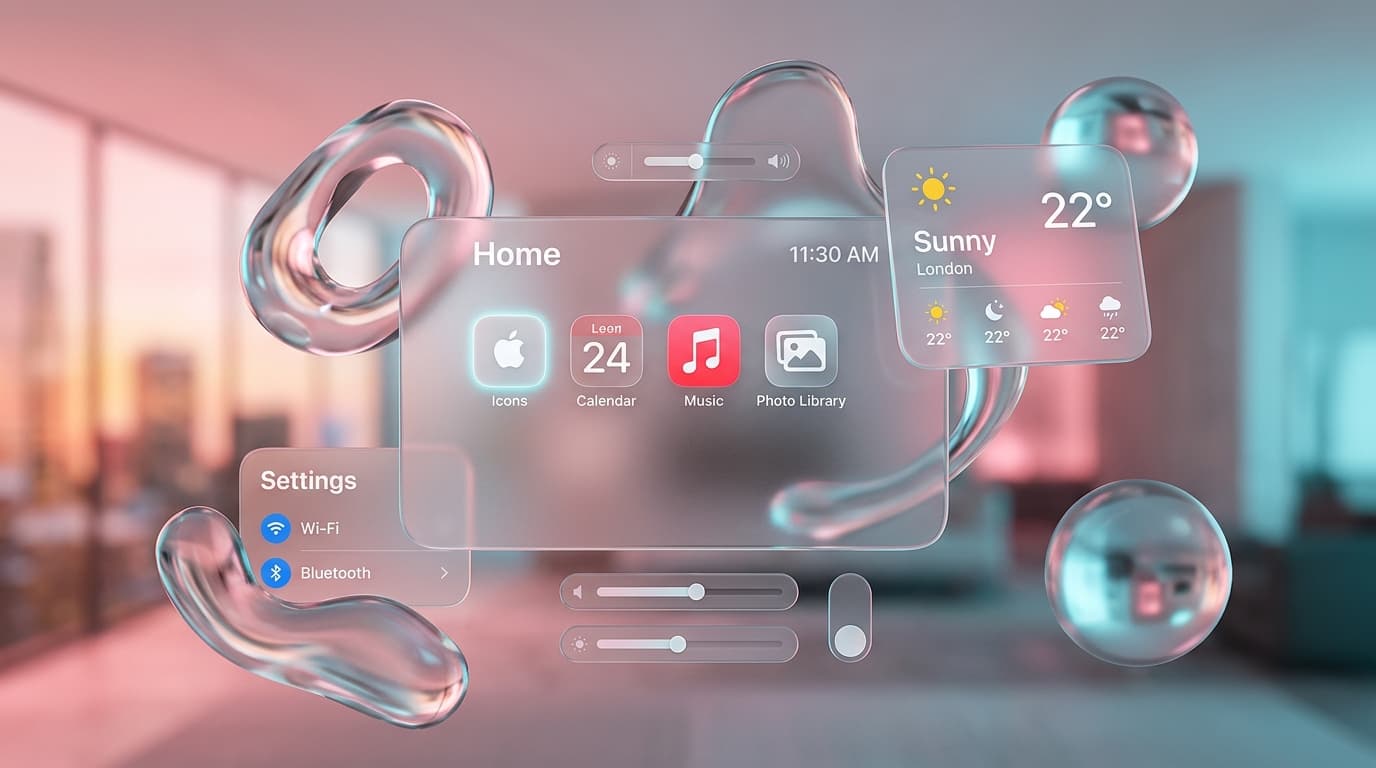
1. The Optical Physics of Modern Liquid Glass
Why simple opacity and blur look dull and how to achieve true optical depth
Early 'glassmorphism' implementations often looked like washed-out milky overlays because designers simply added `background: rgba(255, 255, 255, 0.2)` and `backdrop-filter: blur(10px)`. Real frosted glass, however, bends light rays, intensifies underlying chromatic saturation, and displays bright specular highlights along bevel edges where light reflects toward the viewer.
To replicate the tactile feel of Apple visionOS and modern liquid interfaces, we need four critical visual layers: a saturated refractive backdrop, a directional ambient gradient, a specular inner rim highlight, and deep diffused elevation shadows.
Design Rule: Whenever applying backdrop-filter blur, always pair it with saturate(180%) or saturate(200%). This restores the vividness of background colors that blur algorithms naturally wash out.
2. The Master Liquid Glass CSS Token Formula
Engineering the multi-layer specular lighting and responsive shadow stack
Here is the exact production CSS formula used for luxury liquid glass cards in Tailwind CSS:
/* Luxury Liquid Glass Chassis (Light Mode) */
.liquid-glass-chassis {
  background: linear-gradient(
    180deg,
    rgba(255, 255, 255, 0.92) 0%,
    rgba(243, 245, 249, 0.96) 100%
  );
  border: 1px solid rgba(0, 0, 0, 0.08);
  box-shadow:
    /* Soft Elevation Drop Shadow */
    0 16px 40px -10px rgba(0, 0, 0, 0.08),
    0 2px 8px -1px rgba(0, 0, 0, 0.03),
    /* Crisp Top Edge Specular Highlight */
    inset 0 1px 1px 0 rgba(255, 255, 255, 1);
  backdrop-filter: blur(24px) saturate(180%);
  -webkit-backdrop-filter: blur(24px) saturate(180%);
  transition: all 0.35s cubic-bezier(0.16, 1, 0.3, 1);
}

/* Luxury Liquid Glass Chassis (Dark Mode) */
.dark .liquid-glass-chassis {
  background: linear-gradient(
    180deg,
    rgba(24, 25, 34, 0.82) 0%,
    rgba(11, 11, 16, 0.94) 100%
  );
  border: 1px solid rgba(255, 255, 255, 0.12);
  box-shadow:
    /* Deep Ambient Shadow */
    0 24px 55px -12px rgba(0, 0, 0, 0.8),
    0 4px 18px -2px rgba(0, 0, 0, 0.6),
    /* Glass Rim Specular Highlight */
    inset 0 1px 1.5px 0 rgba(255, 255, 255, 0.25);
  backdrop-filter: blur(32px) saturate(200%);
  -webkit-backdrop-filter: blur(32px) saturate(200%);
}

.dark .liquid-glass-chassis:hover {
  border-color: rgba(255, 255, 255, 0.25);
  transform: translateY(-5px);
  box-shadow:
    0 30px 70px -14px rgba(0, 0, 0, 0.95),
    0 8px 30px -4px rgba(0, 0, 0, 0.7),
    inset 0 1px 2px 0 rgba(255, 255, 255, 0.4);
}
3. GPU Compositing & 60FPS Performance Optimization
Preventing browser repaints during smooth scrolling and animations
Applying heavy `backdrop-filter: blur()` across dozens of elements can trigger high GPU fill-rate strain and jank during scrolling, especially on mobile devices. Follow these optimization techniques:
- Promote interactive cards to their own composite layer using `will-change: transform` only during active hover states.
- Avoid animating blur radii dynamically (e.g. transitioning from `blur(10px)` to `blur(30px)` on hover); animate `transform: translateY()` and `box-shadow` instead.
- Use fixed aspect ratio image wrappers with `object-fit: cover` to prevent layout shifts (CLS) when images finish decoding.